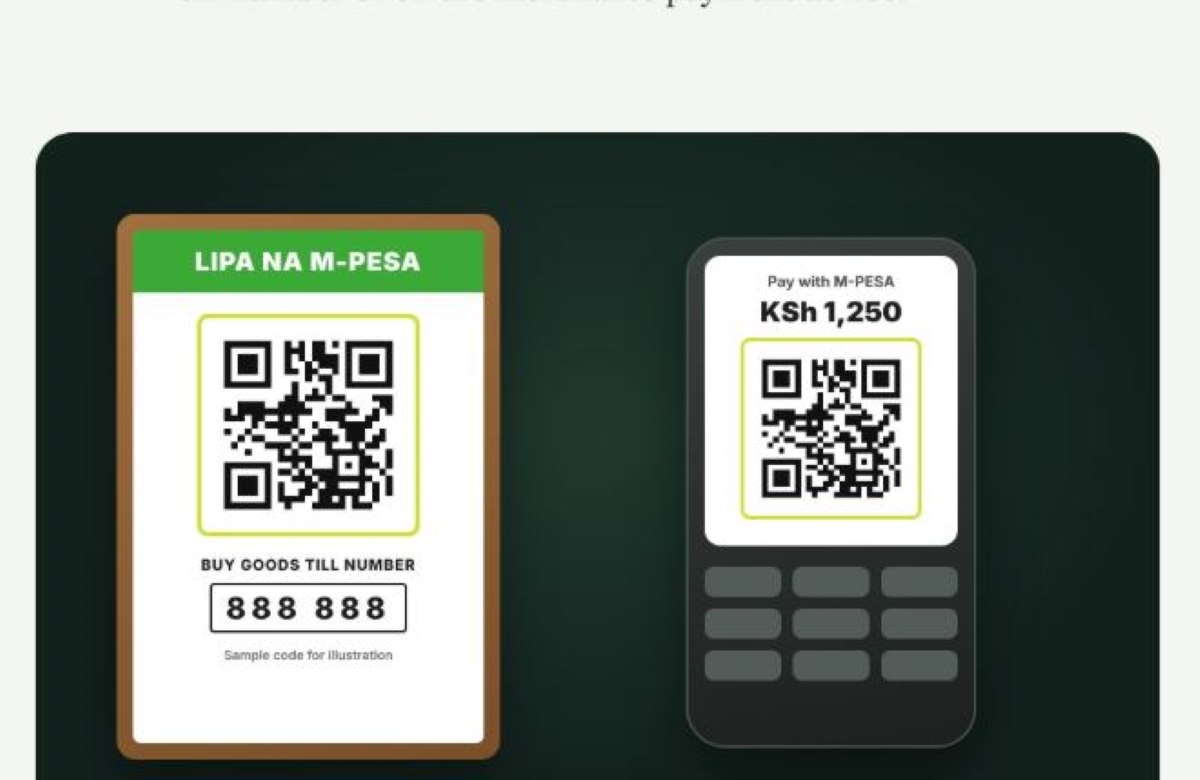
Small businesses across Nairobi are now incorporating MPESA Scan To Pay services to meet the rising demand for a shorter route to settling payments for purchases, as well as to limit mistakes made during the payment process. From kiosks to restaurants and from roadside food stands to dukas, shopkeepers and merchants are now prioritising Scan To Pay to ensure most of their customers have access to multiple choices when settling payments.
For some customers, having to cancel and start a payment process again because of a mistake made during the course of payment is frustrating. With MPESA’s innovative Scan To Pay, the margin of error is significantly reduced.


My own experience using the service was a fulfilling one. Last weekend, after days of planning and cancelling, I went downtown to get a blender. It was a brand I was familiar with thanks to the impressive marketing by the retailer. I made a decision to get one and see how I would like it. When I arrived at the store on Moi Avenue in Nairobi CBD, I went directly to the electronics aisle and picked the blender. It was quite heavy, or heavier than I had estimated from the many ads I had come across on how it worked and how to use it.
Once I had it in my hands, I couldn’t wait to go back to the house and try it out. I was particularly interested in how well and how fast it would make a banana smoothie. So I proceeded to the cashier’s to make my payment.
At the cashier’s desk, I expected the normal process where the item is scanned, I am told how much I am to pay, I pull out my phone, open my MPESA, type in the till, double-check the till, input the amount, confirm the amount, input the pin, and then finally…. Wait for the MPESA payment confirmation message before I could walk out with my blender. Instead of all that, the cashier asked me if I had a smartphone and said I could settle the payment much quicker through a QR code mounted on a board next to the cashier that said “SCAN TO PAY.”
The cashier said it would pre-populate the till and shorten the process for me.
Intrigued, I pulled out my phone, opened the camera, pointed it to the code under “SCAN TO PAY” tapped the embedded link and watched as the merchant details filled in automatically. I entered the amount, input my M-PESA PIN, and in a few seconds, received the MPESA confirmation message. There was no double guessing or double-checking the till number or struggling to understand whether the faded 7 at the end was a 1 or a 2. It was all too simple.
As I was handed the purchase receipt and walked out with MY blender, I couldn’t wait to go home and learn more about how this works. As I exited the retail shop, I quietly asked myself my every shop and retailer in Nairobi did not have this. It would save so much time.
When I arrived home, I put my blender aside and sat at my study desk to learn more about MPESA Scan To Pay. I was so anxious to find out more about how it works. Upon further digging on Safaricom’s official website, I found out that Scan To Pay is an MPESA payment feature that auto populates merchant details upon QR Code scanning. This applies to both till payments and Paybill payments. Its key difference from manually typing out the details is that it limits errors and significantly cuts down the checkout process to just a few clicks.
No special programs or apps need to be instaled on your phone to scan the QR code and complete payments. All you need is a Safaricom line and a data connection. Payment processes are zero-rated so you do not really require data bundles to complete payments, you just need to switch on your data connection.
Why You Should Try Using MPESA Scan To Pay
Safaricom has already rolled out Scan to Pay to more than 60,000 merchants. It has also integrated the service with Pesapal to add Dynamic Scan-to-Pay on POS devices alongside Tap-to-Pay and other tools. This offers a streamlined service to more customers across the country.
MPESA Scan To Pay removes anxieties especially at the cashiers desk during peak hours where customers want to be served quickly. Making errors and having to cancel and restart the payment process is frustrating for those being served at the cashier’s and those waiting in line.
With Scan To Pay, the security is solid. When making the payment, you are sure that the payment will go to the intended till or paybill number. There is no worry about sending money to the wrong till or paybill number because of a wrongly copied number or merchant details.
The MPESA Scan To Pay service can be executed by using the MPESA OneApp or other QR code scanning techniques. All in all, the security and speed of payment is guaranteed.